


Quality traceability
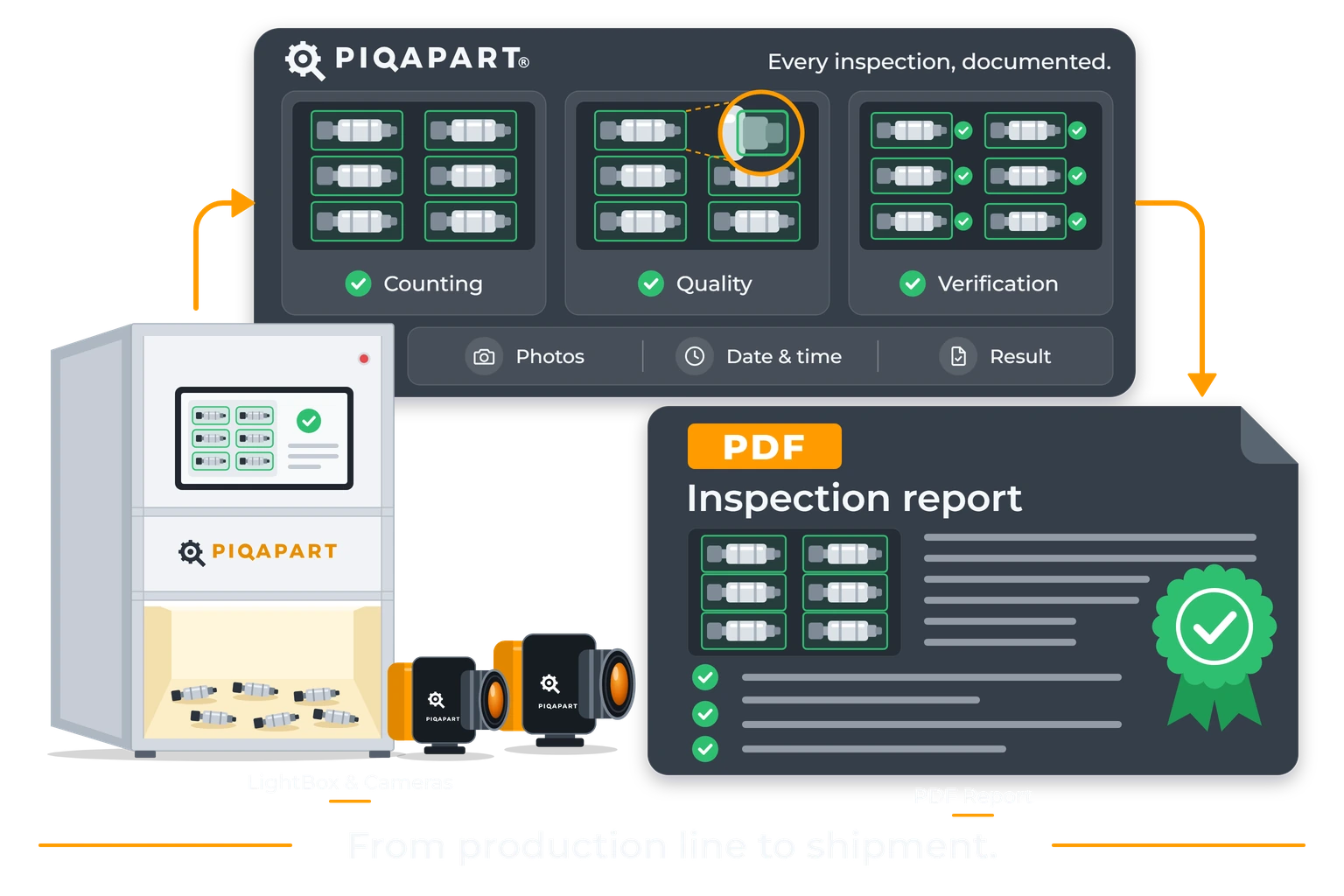
PIQAPART automatically records every check performed along the production steps: counting, component presence, defects, assembly sequences. For each check it stores date and time, operator, workstation, order, batch and part number, high-resolution photo, result and AI model version.
“Two parts were missing.” “A component wasn’t there.” “The product arrived defective.” If the check was done by eye or by weight, proving what the goods looked like when they left is almost impossible. The result:
Credit notes and replacements even when you’re not at fault.
Hours spent reconstructing what happened.
Customer trust that starts to crack.
No data to understand where errors really come from.
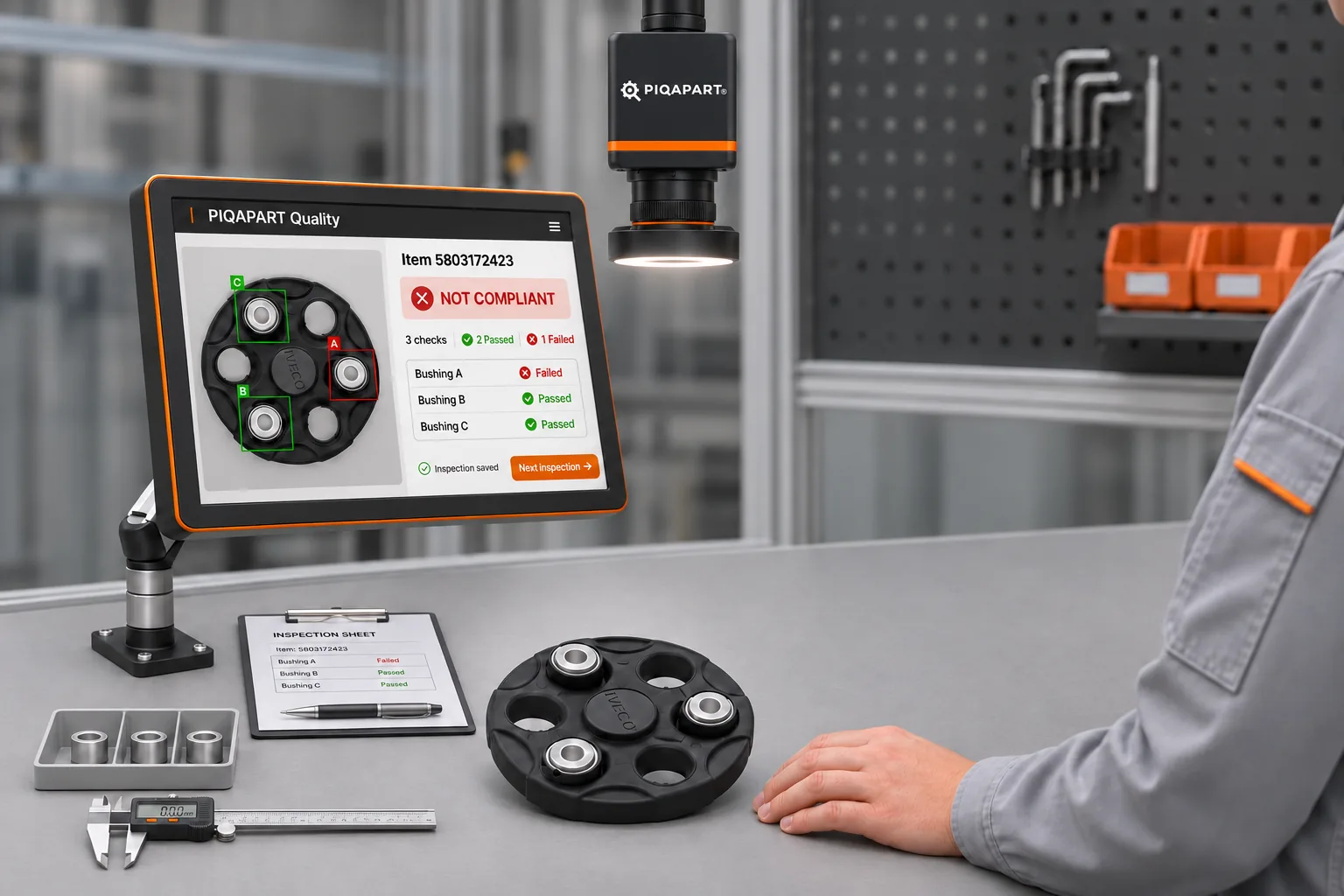
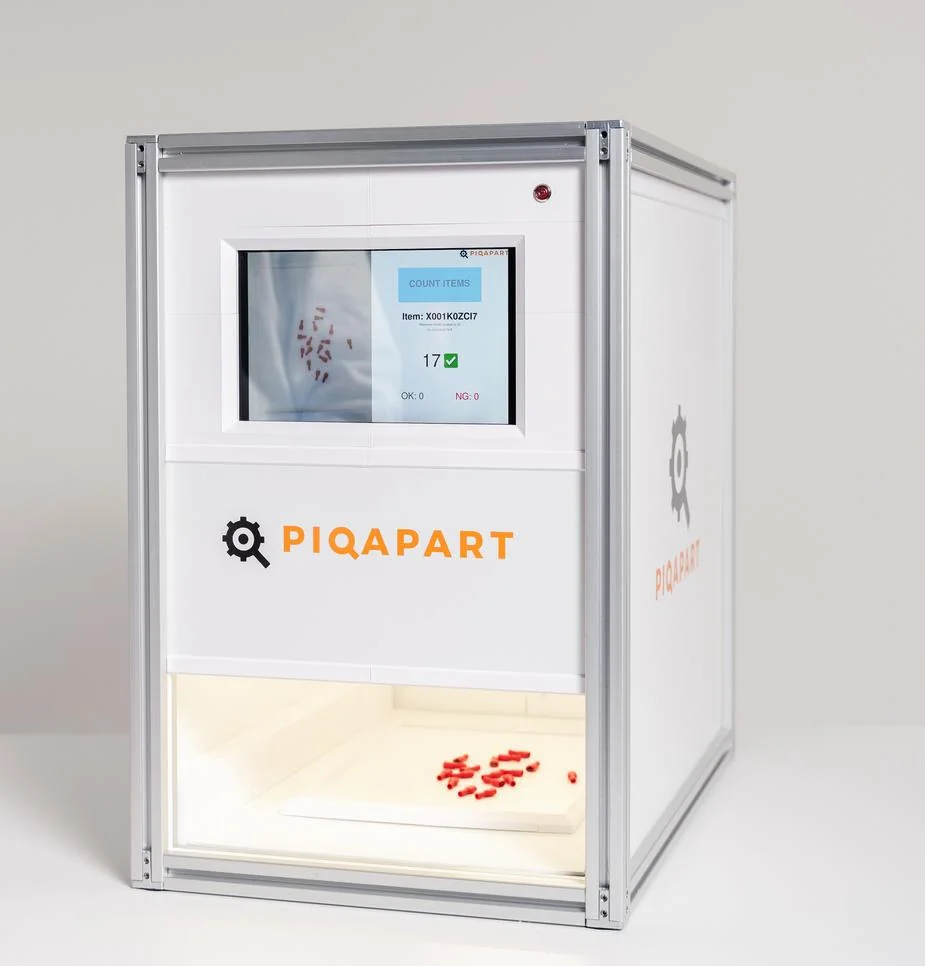
At the critical points of the process (line, testing, assembly, packing) LightBoxes and overhead cameras capture a photo of every part, kit or pack. The PIQAPART Count, PIQAPART Quality and PIQAPART Assembly modules count, identify and verify compliance and defects, with accuracy of up to 99.99%.
Every result is saved automatically in PIQAPART Core together with the photo and the order data. No paper forms, no manual entry.
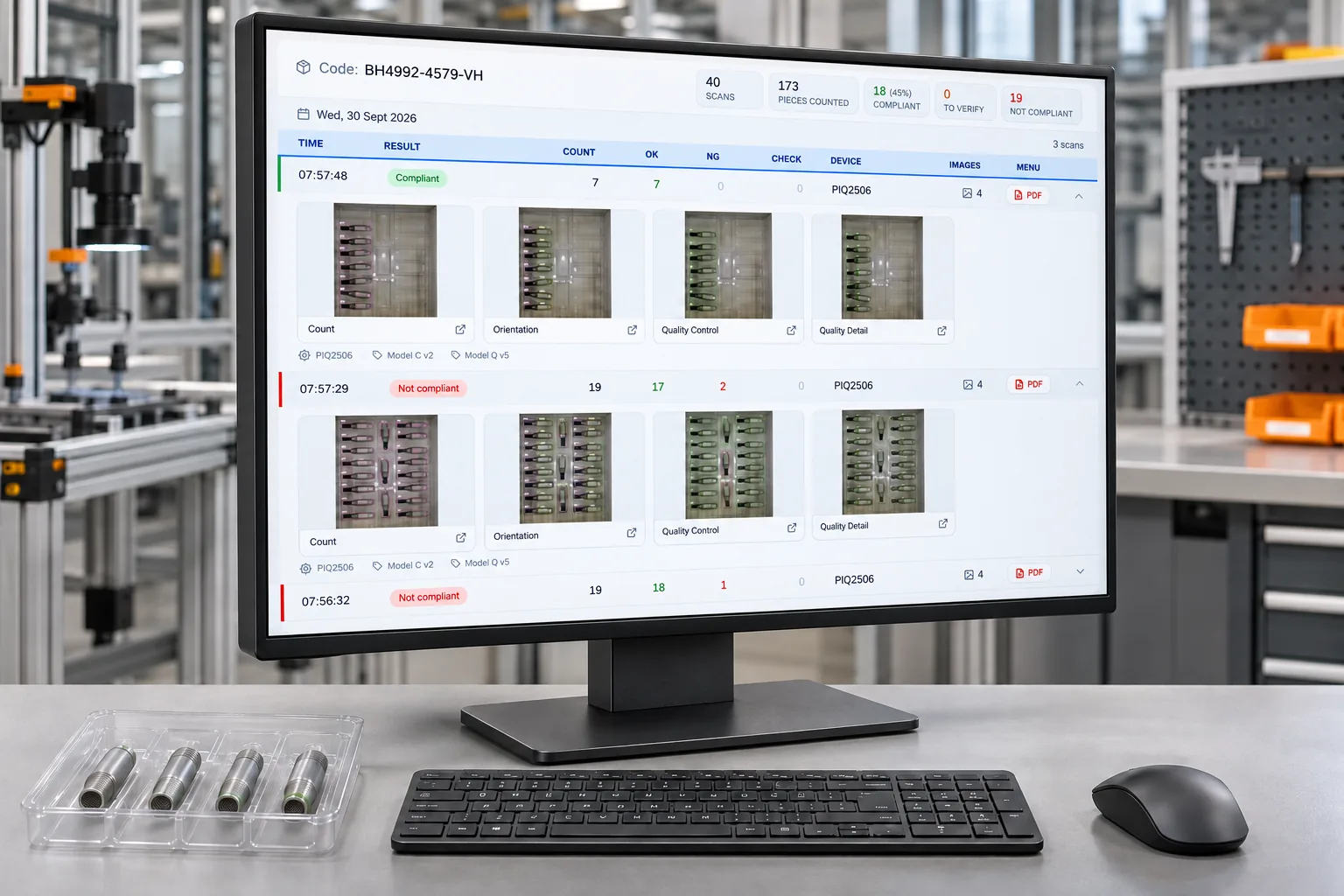
From the web dashboard you search by order, batch, part number, date or operator and find the check in seconds. One click generates the PDF report to send to the customer.
Every check is saved with this information, linked to the order and searchable from the dashboard.
The exact moment of the check.
Who performed the check.
Where it was performed and with which version of the AI model.
What the check refers to.
What the product looked like at that moment.
Compliant or non-compliant, with the count and details of any anomaly.
A customer disputes a delivery. You open the dashboard, look up the order and find the photo and the result of the check performed before shipping.
From there, there are two possible outcomes, and in both it’s the data that decides, not opinions.
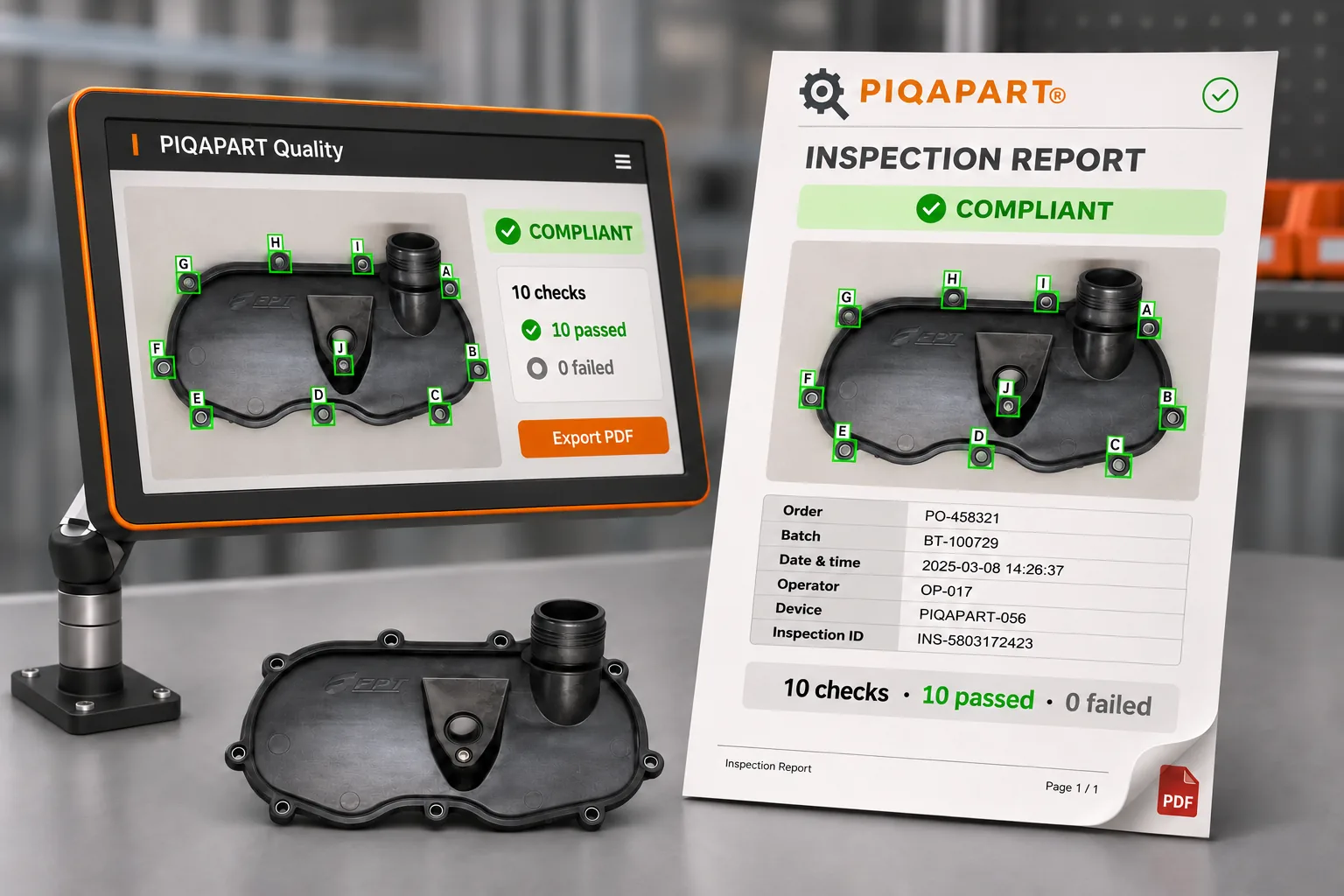
You send the customer the PDF report of the check: quantity, components and result, with date, time and workstation.
You see where and when it started and fix the cause, not the symptom.
The PDF report is preformatted and customisable: your company logo, text and layout. It contains the photo, the result and all the check data, ready to attach to a customer response or an audit.
In the packing area, valve blisters for customers around the world were checked by hand: correct part number, number of pieces, presence of O-rings, seals and rings, orientation and sequence. It was a slow check, prone to errors at peak times and with no objective record.
A PIQAPART LightBox with the PIQAPART Count and PIQAPART Quality modules. The operator inserts the blister and within moments sees the result on screen: valves counted, part number verified against the order, components present and in position.
For every order PIQAPART Core saves the photo and the check result. If a customer reports a missing or badly assembled part, Bosch Rexroth has proof of how the blister was checked, packed and shipped.
From maximum simplicity to maximum integration.
Simple. Local. Immediate.
Connected. Traceable. Scalable.
Maximum control. In your environment.
Send us a few samples: we’ll test them in our laboratory and show you the results, with traceability for every check.